My Homelab Setup: Three Locations, 20+ Services, Zero Cloud Dependencies
It started with a single question: can I run Home Assistant on something other than a Raspberry Pi?
I had a basic smart home setup — some Zigbee lights, a couple of sensors — and the Pi was struggling. So I bought a small mini PC, installed Proxmox, and ran Home Assistant as a proper VM. That worked great. Then I added cameras at our other properties and needed Scrypted for HomeKit integration. Scrypted generates a lot of video, so I needed storage. Storage meant hard drives. Hard drives meant a NAS. And once you have a NAS and a hypervisor running 24/7, you start thinking: what else could I run on this thing?
That question is how a Home Assistant box turned into a multi-site infrastructure spanning three locations across Portugal, running 20+ self-hosted services, all managed as code.
The Three Sites
My homelab isn't a single rack in a closet. It's three small servers at three different locations, connected securely via Tailscale:

- LX (Lisboa) — The main hub. Runs the majority of services: media, photos, recipes, monitoring, backups, ad blocking, and more.
- Cercal — A rural property. Runs cameras, smart home, and acts as an offsite backup target for LX.
- Azoia — A beach house. Runs cameras, smart home, and local video storage.
All three run Proxmox VE as the hypervisor, hosting virtual machines and Linux containers. Tailscale creates an encrypted WireGuard mesh between them, so every device can talk to every other device regardless of location. I can check Azoia's cameras from Lisboa, access my media library from Cercal, or SSH into any server from a coffee shop.
Hardware
LX — The Main Hub
| Component | Details |
|---|---|
| CPU | Intel N5105 (4 cores) |
| RAM | 32 GB |
| Storage | 2× 16TB HDD (ZFS mirror) + 2× 1TB SSD |
| Case | Fractal Design Node 304 |
| OS | Proxmox VE |
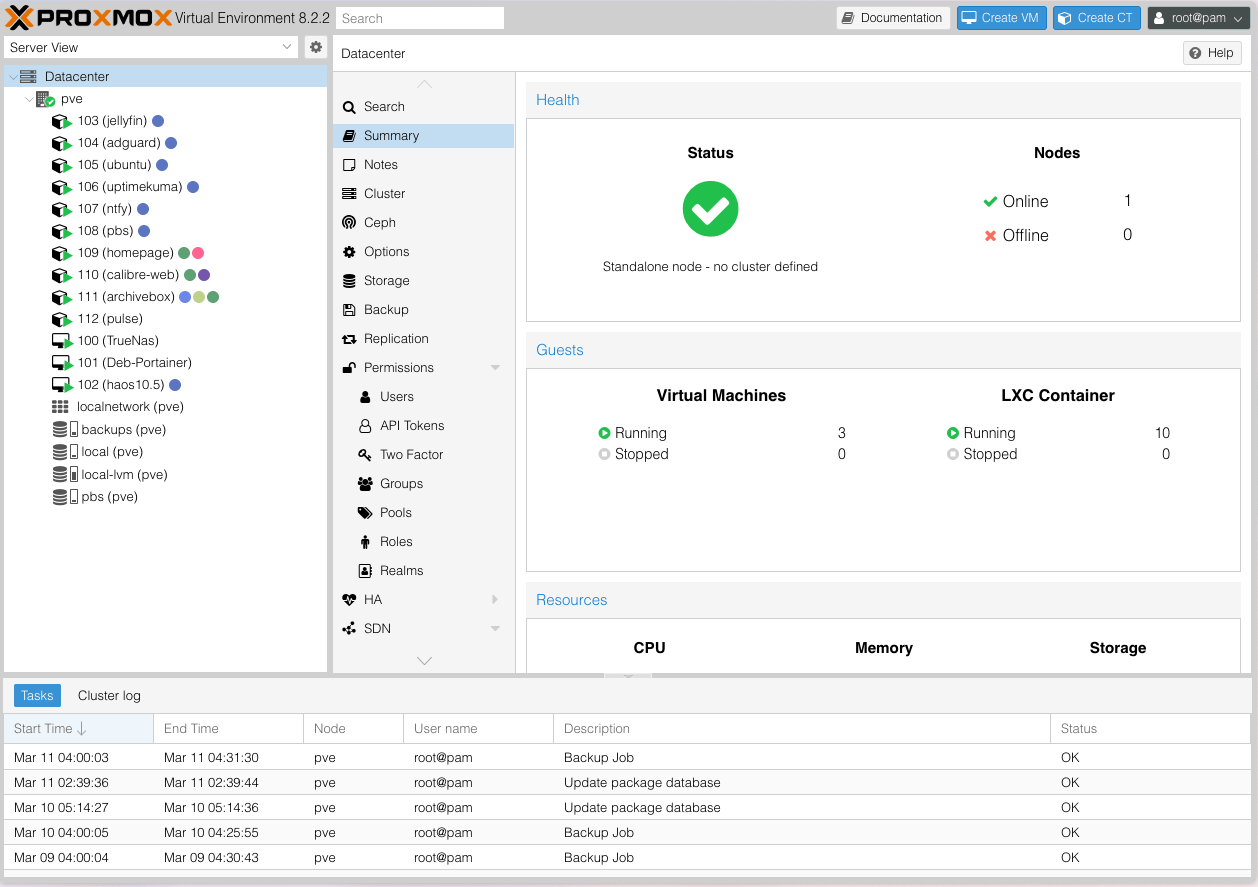
This is a purpose-built, low-power mini server. The N5105 sips around 15W at idle, which matters when it runs 24/7. The 32GB of RAM is split across a TrueNAS VM (storage management), a Portainer VM (Docker host running 20 stacks), a Home Assistant VM, a Proxmox Backup Server instance, and 10 LXC containers.
The two 16TB drives are in a ZFS mirror — every byte written to both disks. If one drive fails, the other has a complete copy. The SSDs handle app databases and anything that benefits from fast I/O.
Cercal
| Component | Details |
|---|---|
| Hardware | ZimaCube (repurposed) |
| Storage | 2× 16TB Seagate (ZFS mirror) |
| UPS | Eaton battery backup |
| Internet | Starlink |
| Network | UniFi (UCG Ultra + 2× U6 Pro APs) |
Cercal is in a rural area with Starlink as the only internet option. The UniFi stack gives solid WiFi coverage across the property. The Eaton UPS keeps the server alive through the frequent power blips that come with rural living. This server doubles as an offsite backup target — critical data from LX gets replicated here weekly via rsync over Tailscale.
Azoia
| Component | Details |
|---|---|
| Hardware | Beelink EQ12 |
| CPU | Intel N100 (4 cores) |
| RAM | 16 GB DDR5 |
| Storage | 500 GB SSD + 2× 8TB HDD (ZFS mirror, USB) |
| Network | UniFi (UCG Ultra + 2× U6 Pro APs) |
The smallest site. A Beelink mini PC running Proxmox, with two external 8TB drives for camera recordings. It runs Home Assistant and Scrypted for cameras, and not much else. Simple, reliable, low-maintenance.
What I'm Self-Hosting
All services at LX run as Docker containers managed through Portainer, with Traefik as the reverse proxy handling Let's Encrypt certificates and routing traffic based on subdomain.
Smart Home — Home Assistant × 3
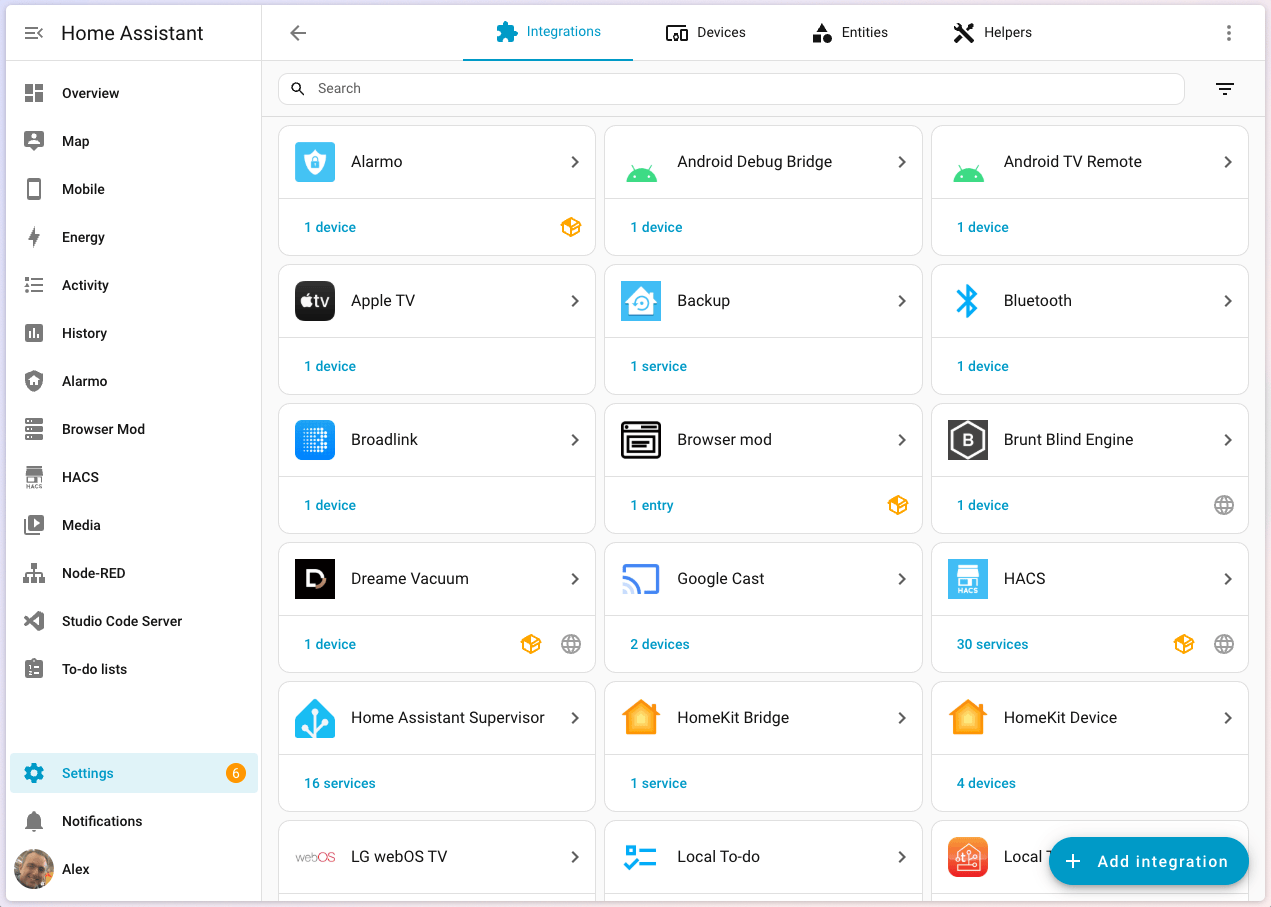
Each location runs its own Home Assistant instance as a HAOS VM on Proxmox. Lights, automations, sensors, presence detection — the usual. Having local instances means the smart home keeps working even if internet goes down at a given location. This is what started it all, and it's still the most-used piece of the setup.
Scrypted handles camera integration at Cercal and Azoia, feeding into Home Assistant for motion alerts and recording to local ZFS storage.
Photos — Immich
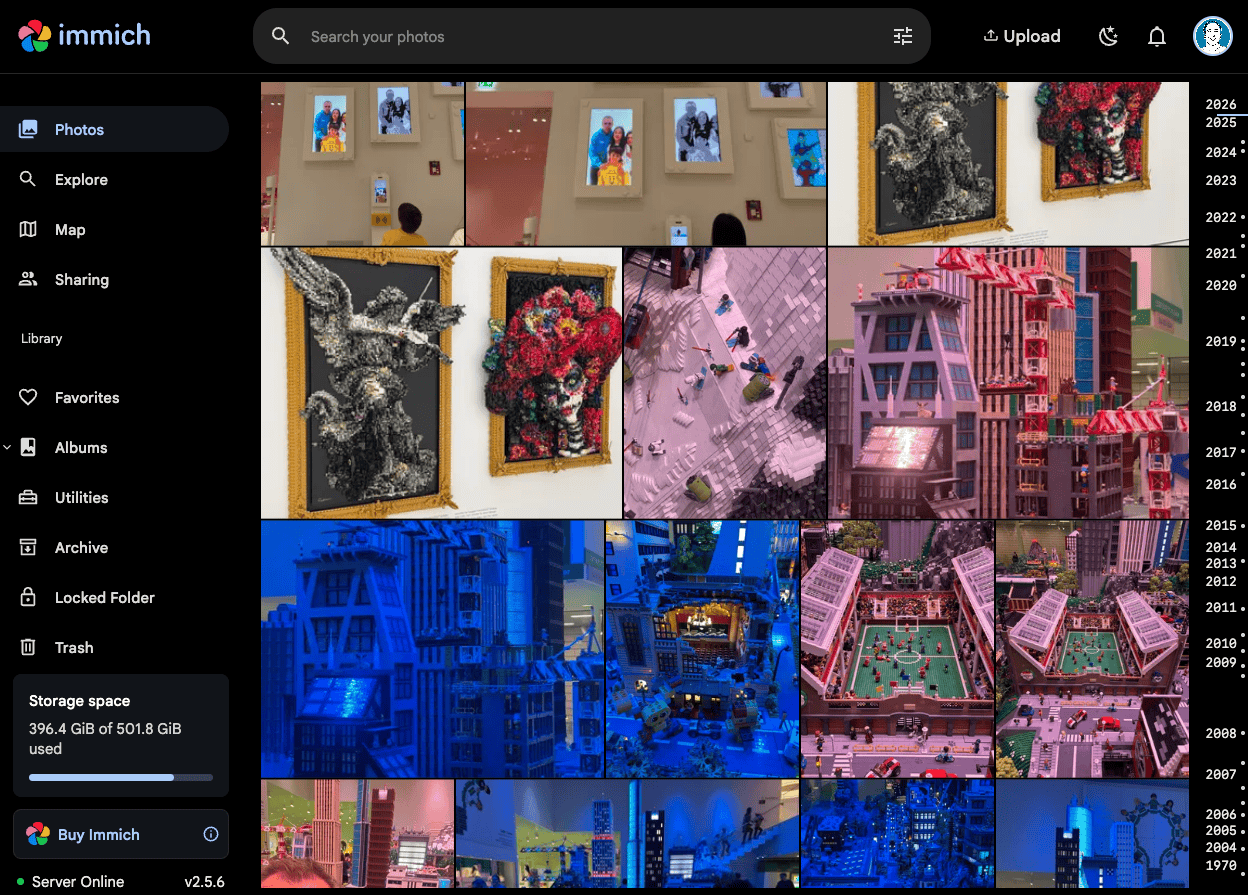
Immich replaced Google Photos for us. It runs on the LX server and backs up photos from everyone's phones automatically. The killer features: face recognition, smart search (search "beach" and it finds beach photos), map view, and "on this day" memories.
The Immich database (PostgreSQL) is backed up daily, and the photo files themselves live on the ZFS mirror with weekly replication to Cercal. Geographic redundancy for family photos felt non-negotiable.
Recipes — Mealie
Mealie is one of those services I didn't know I needed. Paste a recipe URL, it scrapes the ingredients and instructions, strips the 3,000-word life story, and saves a clean card. We use it for meal planning and grocery lists. It's become a daily-use app in our household.
Everything Else
| Service | What It Does |
|---|---|
| Calibre Web | E-book library with a clean reading interface |
| RomM | Retro game library — browse and launch classics from a web UI |
| ArchiveBox | Saves full snapshots of interesting web pages before they disappear |
| Homebox | Home inventory tracker |
| Syncthing | Peer-to-peer file sync across devices |
| AdGuard Home | Network-wide ad blocking at the DNS level |
Networking & Remote Access
DNS & Reverse Proxy
Every service gets a friendly subdomain:
| Location | Pattern | Example |
|---|---|---|
| LX | *.lxlocal.alexcarvalho.me |
jellyfin.lxlocal.alexcarvalho.me |
| Cercal | *.cercallocal.alexcarvalho.me |
home-assistant.cercallocal.alexcarvalho.me |
| Azoia | *.azoialocal.alexcarvalho.me |
home-assistant.azoialocal.alexcarvalho.me |
AdGuard Home runs on a dedicated LXC at LX and handles DNS for all three locations (Cercal and Azoia reach it via Tailscale). It resolves local domains and blocks ads and trackers at the network level.
Traefik runs at each location as a reverse proxy, routing requests to the right container based on subdomain and handling HTTPS certificates via Cloudflare DNS challenge. No services are exposed to the public internet — everything goes through Tailscale.
Tailscale
Tailscale is the glue that holds the whole thing together. It builds on WireGuard to create a private mesh VPN that just works — no port forwarding, no dynamic DNS, no exposed services. Every server, every key device, all connected. I can be anywhere in the world with the Tailscale app and access my homelab as if I were on the LAN.
Monitoring & Alerting
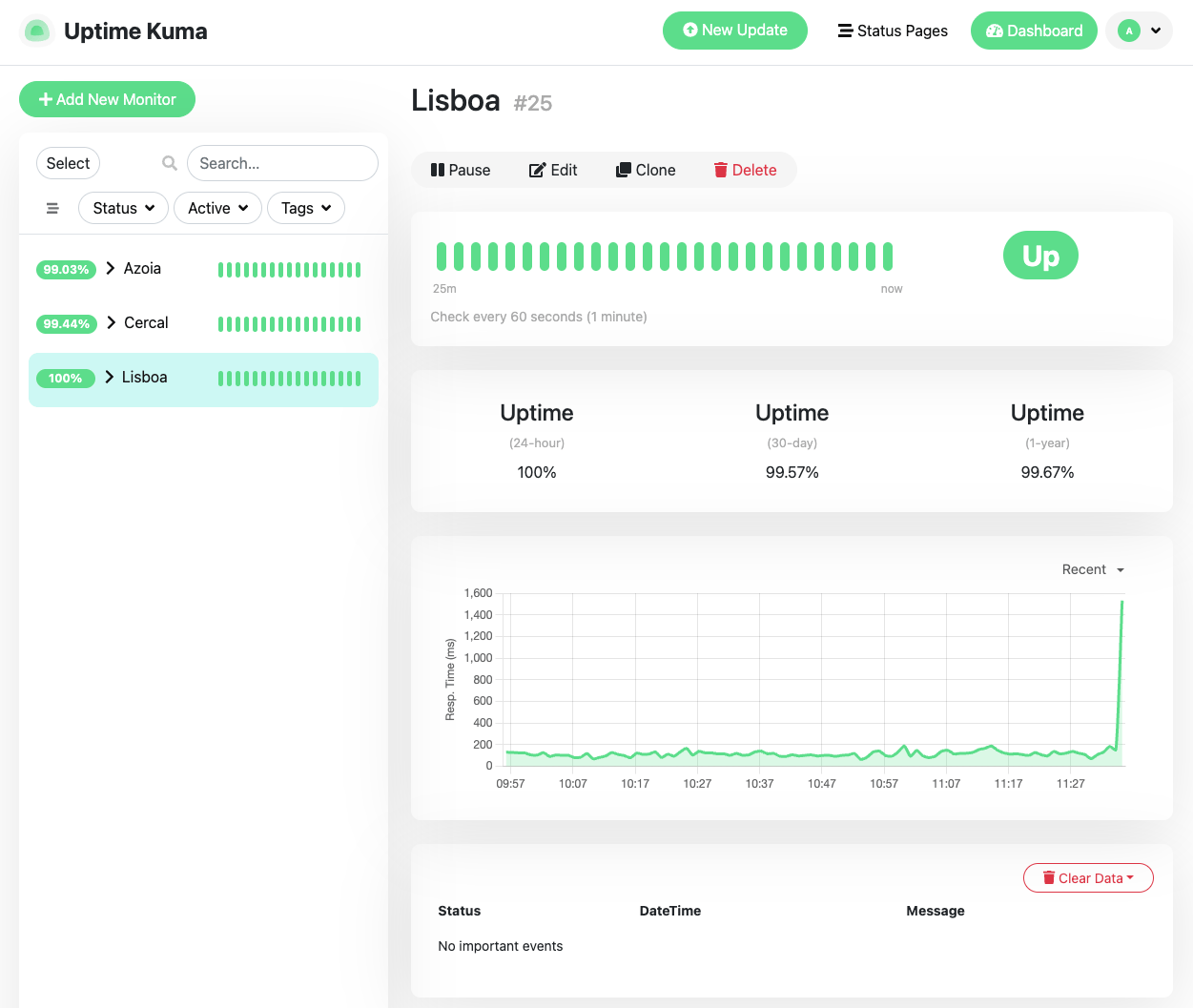
I run a layered monitoring stack because I learned the hard way that "it's probably fine" is not a monitoring strategy:
- Homepage — A dashboard showing all service statuses, system stats, and quick links. My starting point each day.
- Uptime Kuma — Monitors 26 services across all three locations. Checks every few minutes, alerts on failure.
- Pulse — Proxmox-specific monitoring. Shows VM/container resource usage across all three hosts. I'm running a patched fork that fixes an edge case with agent linking when multiple hosts have similar VM names.
- Glances — Real-time system metrics for the LX server.
- ntfy — Self-hosted push notifications. Three alert topics:
homelab-backups— Daily at 06:00, checks all 13 PBS backup jobs are fresh.homelab-mounts— Every 15 minutes, verifies NAS mounts are alive.homelab-services— Every 5 minutes, 26 HTTP health checks.
Alert scripts are deployed via Ansible as systemd timers. If a backup is older than 26 hours, if a mount disappears, if a service stops responding — my phone buzzes.
Backups
This is the part I'm most proud of. Every layer of the stack has backup coverage:
| What | When | Where | Method |
|---|---|---|---|
| All VMs/containers (13 total) | Daily (03:00–05:00) | Proxmox Backup Server | PBS incremental |
| App databases (Immich, Mealie, RomM, etc.) | Daily 03:00 | LX Portainer host | pg_dump / sqlite backup |
| TrueNAS → Cercal replication | Weekly | Cercal OMV | rsync over Tailscale |
| MacBook | Continuous | TrueNAS SMB share | Time Machine |
| ZFS snapshots | Hourly/daily/weekly | Each location | ZFS auto-snapshot |
| TrueNAS system config | Weekly (Sun 02:00) | Git repo | Export + git commit |
PBS retention: 10 last, 30 daily, 4 weekly, 12 monthly, 3 yearly. The TrueNAS config is versioned in git, so I can diff any change. Database dumps happen an hour before PBS runs, ensuring the backup captures fresh dumps.
The weekly rsync from TrueNAS to Cercal gives me geographic redundancy. If the LX server catches fire, a copy of the critical data exists 150km away.
Infrastructure as Code
This is where it gets fun. Everything is managed through Ansible, stored in a private GitHub repo. Nothing is configured by hand. If a server dies, I can rebuild it from a playbook.
The repo has 25+ Ansible roles covering:
- Docker stack deployment (all 20 Portainer stacks)
- Traefik reverse proxy configuration at each site
- AdGuard DNS rules
- Uptime Kuma monitor definitions (direct SQLite sync — Kuma has no REST API, so we stop the service, sync the DB, restart)
- NAS mounts (CIFS management)
- ntfy alert scripts and systemd timers
- PBS backup jobs and verification
- TrueNAS rsync tasks and SMB/NFS shares
- LXC container creation and drift detection
- Homepage dashboard config (with 36 widget secrets pulled from 1Password at deploy time)
- Database backup scripts with failure alerting
33 playbooks cover every operation across all three sites. Secrets never touch the repo — they live in 1Password, and Ansible retrieves them at deploy time via a service account.
./run.sh playbooks/lx-portainer.yml
One command. Deploys the entire LX stack from scratch — packages, Docker, all 20 stacks, Traefik routes, DNS entries, monitoring, alerts, secrets.
LXC Definitions as YAML
Every container across all three sites is defined in YAML. A lxc-verify role compares running containers against these definitions and reports drift. 13 containers, 3 sites, 0 drift.
# lxc-definitions/lx.yml (simplified)
containers:
  - vmid: 103
    hostname: jellyfin
    ostemplate: ubuntu-22.04
    cores: 2
    memory: 2048
    net:
      ip: 192.168.1.227/24
    features:
      nesting: true
This was one of the later additions, but it's one of the most valuable. Being able to verify that nothing has drifted from the defined state gives real peace of mind.
What I'd Do Differently
Start with infrastructure as code from day one. I spent months manually configuring services before codifying everything in Ansible. Extracting 20 Docker Compose files from Portainer, replacing hardcoded secrets with environment variables, and building roles retroactively was painful. If I were starting over, the first thing I'd write is the Ansible role.
Don't overcommit RAM on a single host. The LX server has 32GB but I allocated ~34GB across guests. Swap thrashing is real and it degrades everything. I'm now tuning allocations down and considering offloading some VMs to the remote sites.
ZFS is worth the complexity. I was intimidated by ZFS at first, but mirrored pools, automatic snapshots, and scrubs give me confidence that my data is safe. When Azoia's ZFS pool suspended due to corrupt camera recordings, the mirror protected everything. Clear the errors, scrub, move on.
What's Next
- GitOps auto-deploy — Right now I run Ansible manually after each change. I want pushes to main to trigger deployments automatically.
- Proper monitoring dashboards — Grafana with historical metrics instead of just real-time views.
- Off-site cloud backup — Adding a Backblaze B2 tier for the most critical data (photos, databases).
The Stack at a Glance
| Category | Tools |
|---|---|
| Hypervisor | Proxmox VE (×3) |
| Storage | TrueNAS, OpenMediaVault, ZFS |
| Containers | Docker + Portainer |
| Reverse Proxy | Traefik (×3) |
| VPN | Tailscale (WireGuard) |
| DNS / Ad Blocking | AdGuard Home |
| Photos | Immich |
| Smart Home | Home Assistant (×3), Scrypted (×2) |
| Monitoring | Uptime Kuma, Pulse, Glances, Homepage, ntfy |
| Backups | PBS, ZFS snapshots, rsync, Time Machine |
| IaC | Ansible (25+ roles, 33 playbooks) |
| Secrets | 1Password |
| Other | Mealie, Calibre Web, RomM, ArchiveBox, Homebox, Syncthing |
It's a lot. But every piece solves a real problem, and the Ansible repo means I can reason about all of it as code. If something breaks at 3am, I get a push notification. If a server dies, I can rebuild it. That's the whole point.
The biggest lesson from all of this? A homelab doesn't need to start as a homelab. Mine started as a Home Assistant box. Then I needed cameras. Then I needed storage. Then I thought "well, I've got this machine running anyway..." and here we are. Start with one problem. The rest follows naturally.